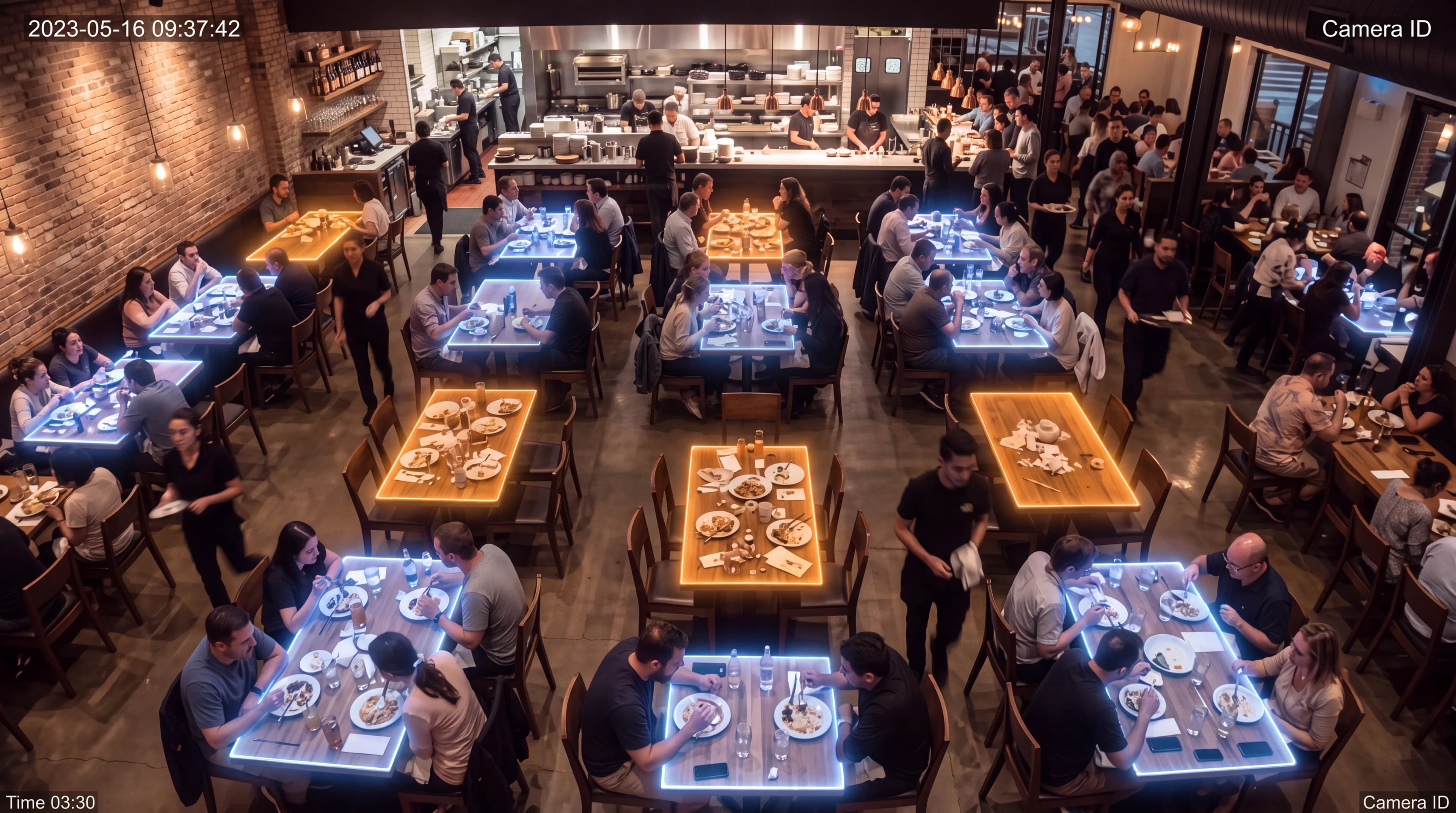
The AI operating system for restaurants
Your restaurant, finally readable in real time.
DiningOS turns the cameras and systems you already run into one live operational brain — so managers stop reacting and start running the floor.
Works with your existing cameras, POS, reservations & kitchen systems.
- Toast
- Square
- OpenTable
- Resy
The problem
Managers spend the whole shift reacting.
Most restaurants learn about a bottleneck after the guest has already complained.
Huge amounts of data, almost none of it connected. Today's systems record transactions — they don't understand operations.
Questions no one can answer mid-shift
- 01Which tables have been waiting too long?
- 02Which section is drowning right now?
- 03How many guests leave without dessert?
- 04Why is turnover different every night?
- 05How much revenue is slow service quietly costing you?
The solution
One live model of your entire dining room.
Computer vision reads the floor
Table states, wait times, queues and resets, read continuously from the cameras you already have.
Integrations read the business
POS, reservations, kitchen displays and payments, stitched into one operational timeline.
AI turns both into decisions
Not another dashboard. Proactive, ranked actions delivered the moment they matter.
Computer vision
See what the cameras see.
No new hardware. DiningOS reads table states straight from the cameras you already run — and flags what needs attention the moment it happens.
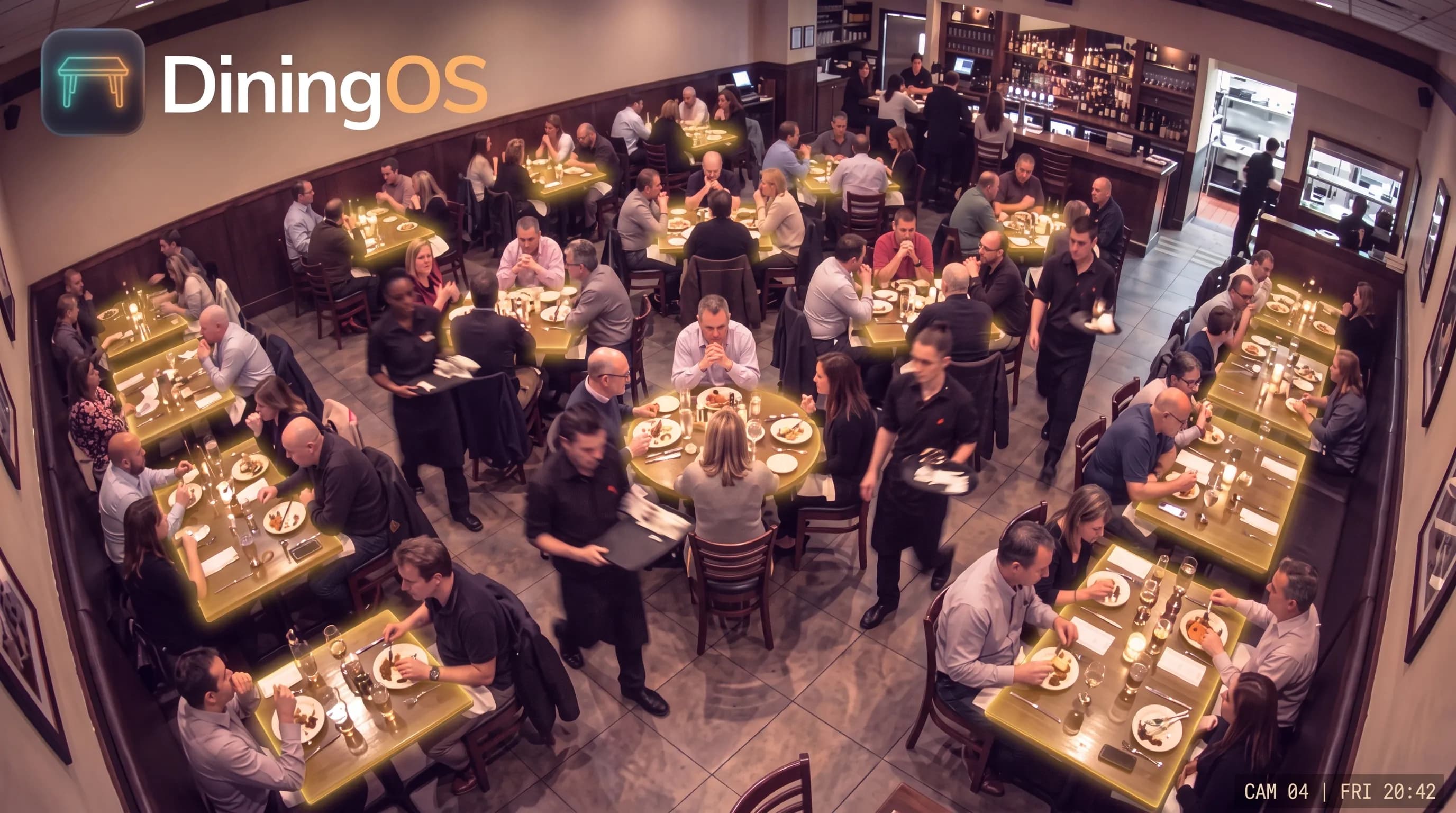 Live · Cam 04
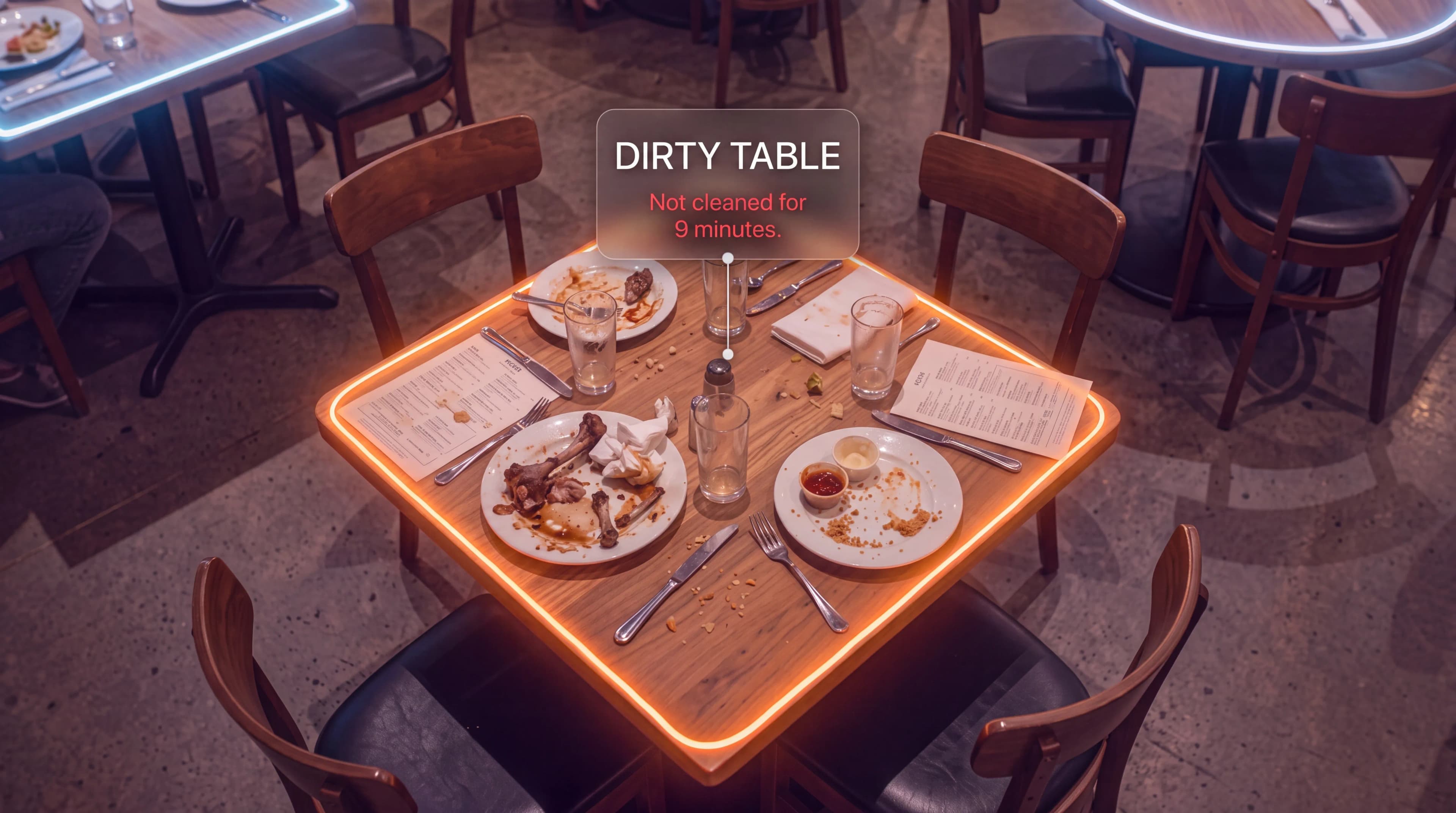 Detection · Dirty table
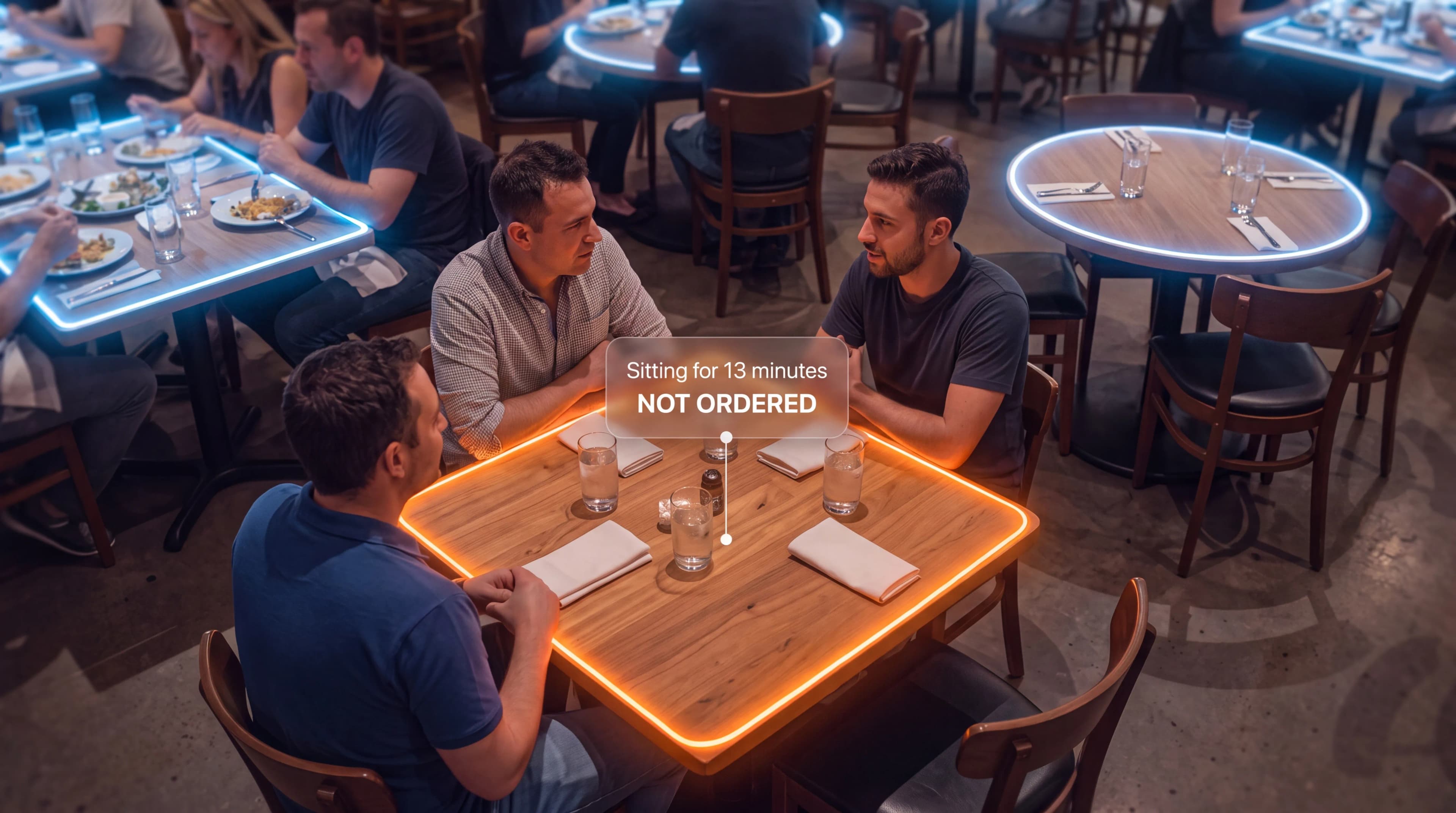 Detection · Not ordered
What we offer
What DiningOS gives you.
Four layers of intelligence, one system. Everything reads from the floor up.
Live Dining Room Intelligence
Every table's status at a glance — seated, waiting, dessert, ready to pay, dirty — without walking the floor.
Service Performance Intelligence
Wait, greeting, food delivery, payment and reset times. Every shift becomes measurable.
Revenue Intelligence
Dessert conversions, upsells, walkaways, idle tables and lost seatings — the revenue POS can't see.
Real-Time AI Alerts & Reports
Proactive nudges during service, and an automatic operational summary when the shift ends.
The product
The floor on a tablet. The shift in your inbox.
A tablet on the host stand shows the floor live. A report lands in your inbox when the shift ends. Nothing to learn.
Shift report
Friday dinner · 5:00–11:00pm
Revenue recovered this shift
+$1,240illustrative
From faster resets on 4 turned tables and 11 recovered dessert prompts.
Avg wait
6m 40s
−1m 12s vs last Fri
Table turns
3.4
+0.4 vs last Fri
Dessert attach
31%
+6pt vs last Fri
Walkaways
2
−3 vs last Fri
Illustrative — replace with pilot data.
We optimize the floor — not your people.
DiningOS measures tables, zones and process — never individuals. No facial recognition. No employee scoring. No customer profiling. Staff cooperate with it because it makes their shift easier, not because it's watching them. That's why it actually gets adopted.
- No facial recognition
- No staff surveillance
- Privacy-first by design
What a shift looks like on DiningOS
- +0%
- Faster table turns
- −0%
- Fewer walkaways
- +0%
- Higher dessert attach
- 0
- New hardware needed
Illustrative — replace with pilot data.
How it works
Live in days, not months.
- 01Day 0
Connect what you already run
Point DiningOS at your existing cameras and systems. No new hardware to buy or install.
- 02Days 1–3
We map your floor
We model your sections, tables and stations — and go live in days, not months.
- 03Every shift after
See it live, get a report
Watch the floor in real time and receive an operational summary at the end of every shift.
Bring DiningOS to your restaurant
Every restaurant should know exactly what's happening, why, and what to do next.
Book a demo — and if you're ready, start a one-shift pilot on the cameras and systems you already run. No new hardware.